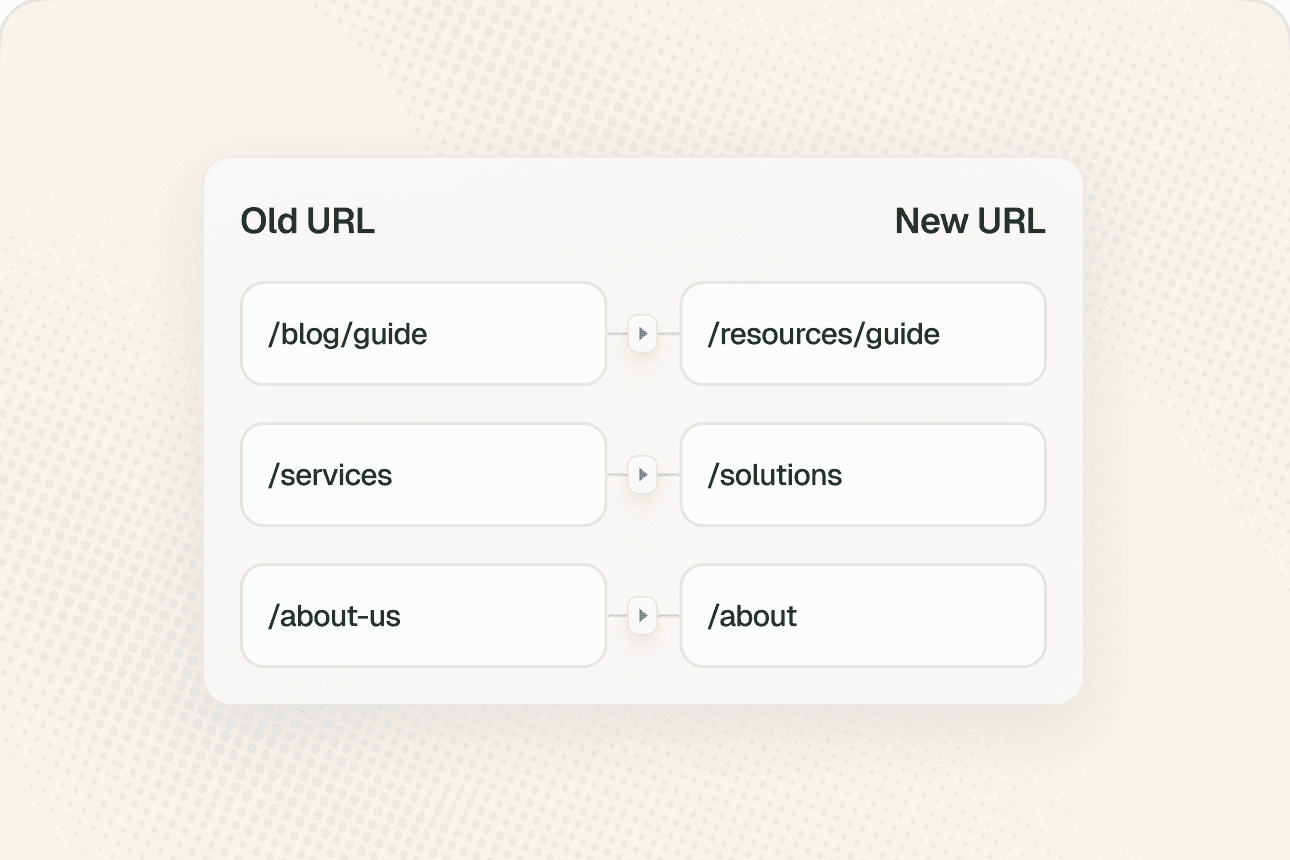





URL inventory
Pages show traffic weight, revealing what earns before changes.
Enter your site and where it’s moving. Get a one-page brief you can forward to your CEO: which pages keep their address, which tools carry over, and a realistic timeline. Free, no sign-up.
A good fit
Teams who have outgrown a Squarespace template and want a faster site they can host themselves.
Consider alternatives
Teams who still want to edit layouts inside a template editor, with no interest in a repo.
Know the limits
Squarespace template features and built-in forms only run on Squarespace. They are rebuilt in code or replaced.
Squarespace templates do not export as code, so the design is rebuilt in Astro and the content is exported and cleaned. This is how each part of a typical Squarespace site is handled.
On Squarespace | On Astro | How we handle it |
Pages and sections | Astro layouts and components | Section designs rebuilt as reusable components |
Blog collections | Markdown, MDX or headless CMS entries | Posts, excerpts, authors, tags, categories and dates exported and checked |
Commerce products | A dedicated commerce platform, or kept on Squarespace | Decided in the audit, never assumed |
Form blocks | A form service or a serverless function | Storage and notification emails reconnected and tested |
Code injection and custom CSS | Proper components and scripts | Every snippet reviewed, then kept, replaced or removed |
SEO titles, descriptions and social images | Astro head tags and JSON-LD | Carried over and checked page by page |
Squarespace has a few URL habits that catch teams out during a move.
Blog posts under /blog/your-slug, which can often keep the same path on Astro.
Older date-based post URLs such as /blog/2021/3/4/your-slug, still live on many sites and needing one to one rules.
Category and tag filters added as query strings, such as /blog?category= and /blog?tag=, which need a deliberate destination.
Uploaded files under /s/your-file.pdf, which often carry backlinks from old emails and PDFs.
Product pages under your shop collection’s path, if you used Commerce.
Most Squarespace teams are used to editing on the page, so the CMS choice matters more here than on most routes.
A headless CMS such as Sanity or Storyblok, when several people publish and want a visual editing screen.
A Git-based editor such as Keystatic or Decap, when one or two people publish and want something simple.
Markdown or MDX in the repo, when the person publishing is comfortable working in files.
We recommend one in the audit, after looking at who publishes and how often.
Astro suits Squarespace sites that have become content-heavy and slow, or that need integrations Squarespace cannot run. If your team mainly wants a better design editor, Squarespace to Framer is the closer replacement. If you are weighing a bigger platform change, read Squarespace vs WordPress and our website platform comparisons.
Image alt text and captions, which sit inside Squarespace blocks and are easy to miss.
Code injection snippets for analytics, chat or cookie banners that nobody documented.
Links to /s/ files in old emails, PDFs and partner sites.
Members areas or scheduling features that need a new provider.
Newsletter sign-ups that were wired to Squarespace Email Campaigns.
DNS changes, which only happen once every redirect is live and tested.
Migrations start from $10,000. The audit comes first and its fee comes off the build, so you are never paying twice for the same discovery work. The final quote depends on how many URLs carry traffic, how many content types and integrations need rebuilding, and how much of the design is changing at the same time. If a full move is not right yet, a Tune-Up at $5,000 can be the better first step.
You get the timeline with the quote, after the audit, so the dates are based on your real URL count rather than a guess. If you want a first read before talking to anyone, run your sitemap through the migration planner. Every package and its scope is listed on our pricing page.
Last updated November 2026.
Related routes: Squarespace to Framer, Wix to Astro, Webflow to Astro, WordPress to Astro and Contentful to Astro.
→
SEO Migration Strategy: How to Replatform Without Losing Rankings
A practical guide to the content, SEO and launch checks behind this move.
→
SEO Migration Checklist: 67 Steps, From Benchmark to Post Launch
A practical guide to the content, SEO and launch checks behind this move.
→
Framer vs Webflow in 2026: Which Fits a Growing Team?
Framer vs Webflow for growing teams: who can edit the site, real 2026 costs, CMS limits, SEO and what a Webflow to Framer migration involves.